Turn Your Photo and Voice Into a Talking Video on Your Own GPU With LongCat
LongCat Avatar 1.6 turns one photo and one audio file into a lip-synced talking video on your own GPU; our 3-step preset runs 2.9x faster than 8 steps.
Published Nov 19, 2026 · 767 views · Watch on YouTube
Get the app and files
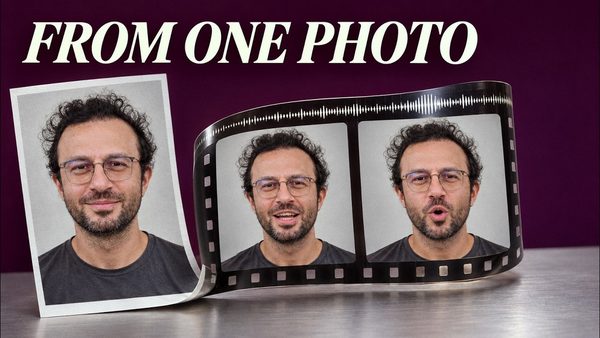
LongCat Avatar Tutorial: Turn Your Photo and Voice Into a Talking Video
LongCat Avatar 1.6 turns one photo and one audio file into a lip-synced talking video on your own GPU; our 3-step preset runs 2.9x faster than 8 steps.
Chapters
- 0:00 Talking video from one photo, 2.9x faster than 8 steps
- 0:25 Default 8 steps vs our 3 steps on one clip
- 0:40 A two-minute math lesson made in one run
- 0:51 LongCat Avatar 1.6 Really Fast preset for ComfyUI and SwarmUI
- 1:03 The 3-step pipeline we built ourselves
- 1:29 RTX 5090 speed test: 3, 4 and 8 steps
- 1:54 Face close-up: lip sync and detail across step counts
- 2:06 Our MiniMax H3 lip sync preset at 832 x 1248
- 2:22 30 seconds of audio: MiniMax H3 vs LongCat 3 steps
- 2:48 One-minute and two-minute talking videos in a single run
- 3:17 Why any length works: segments that continue each other
- 3:29 ComfyUI: open the 3 Steps Really Fast preset with Ctrl+O
- 4:01 Upload the audio and photo, add a scene prompt
- 4:47 What makes it fast: 3 steps and INT8 attention
- 5:00 Size modes: 480p, 720p or a custom size
- 5:41 Press Run and watch the finished barista video
- 6:08 SwarmUI: apply the same preset with one click
- 6:37 Add the chef's audio and photo, then Generate
- 7:33 One-click download: the LongCat Avatar core bundle
- 7:58 Get the ComfyUI installer and presets from the post
- 8:14 Recap: any length, 2.9 times faster with 3 steps
About this video
Our new LongCat Avatar 1.6 "3 Steps Really Fast" preset turns one photo and one audio file into a lip-synced talking video 2.9 times faster than the default 8 steps, with nearly the same picture: 4 min 24 s instead of 12 min 35 s for the same 15-second 720p clip on one RTX 5090 (conditions below). We built this 3-step pipeline ourselves; it ships for ComfyUI (our installer, V154) and SwarmUI (presets pack v92), and one click in our SwarmUI Model Downloader (v195) gets every model. You also see MiniMax H3 break on 30 seconds of audio while LongCat keeps going, up to a two-minute lesson made in one run.
Links:
Download: ComfyUI installer zip (V154) with the preset (our ComfyUI post): [ https://www.patreon.com/posts/105023709 ]
SwarmUI version: presets pack v92 and Model Downloader v195 (our SwarmUI post): [ https://www.patreon.com/posts/114517862 ]
SECourses Premium Upscaler app (RelayVSR): [ https://www.patreon.com/posts/secourses-pro-150202809 ]
AI Avatar Model Showdown (MiniMax H3, LongCat and more): [ https://youtu.be/aOM_YEiskLg ]
ComfyUI installation tutorial: [ https://youtu.be/nxsCBTcCVp4 ]
SwarmUI full tutorial: [ https://youtu.be/0HmIeeI1iBo ]
Update ComfyUI, SwarmUI and presets: [ https://www.youtube.com/watch?v=sdD3--WbHZk ]
Windows requirements tutorial: [ https://youtu.be/ptuLL0C72Ms ]
SECourses Discord: [ https://discord.com/invite/software-engineering-courses-secourses-772774097734074388 ]
You will learn how to open the preset in ComfyUI with Ctrl+O, upload the soundtrack (the video is as long as the audio) and the photo, keep the default scene prompt or type one short line, see what makes it fast, choose 720p, 480p or a custom size and press Run. In SwarmUI you filter the presets for really fast, reset the parameters, Direct Apply the preset, attach the chef's audio and photo and press Generate. Finally you download the LongCat Avatar core bundle (11 models, almost 40 GB) with one click.
Use the chapters to jump to install steps, setup, generation settings and advanced features.
Chapters:
0:00 Talking video from one photo, 2.9x faster than 8 steps
0:25 Default 8 steps vs our 3 steps on one clip
0:40 A two-minute math lesson made in one run
0:51 LongCat Avatar 1.6 Really Fast preset for ComfyUI and SwarmUI
1:03 The 3-step pipeline we built ourselves
1:29 RTX 5090 speed test: 3, 4 and 8 steps
1:54 Face close-up: lip sync and detail across step counts
2:06 Our MiniMax H3 lip sync preset at 832 x 1248
2:22 30 seconds of audio: MiniMax H3 vs LongCat 3 steps
2:48 One-minute and two-minute talking videos in a single run
3:17 Why any length works: segments that continue each other
3:29 ComfyUI: open the 3 Steps Really Fast preset with Ctrl+O
4:01 Upload the audio and photo, add a scene prompt
4:47 What makes it fast: 3 steps and INT8 attention
5:00 Size modes: 480p, 720p or a custom size
5:41 Press Run and watch the finished barista video
6:08 SwarmUI: apply the same preset with one click
6:37 Add the chef's audio and photo, then Generate
7:33 One-click download: the LongCat Avatar core bundle
7:58 Get the ComfyUI installer and presets from the post
8:14 Recap: any length, 2.9 times faster with 3 steps
Music: Captain by Topher Mohr and Alex Elena, Vibe Check by Blue Deer Studio, Tomorrow's Light by Telecasted, Candy Apple Blue by Surf Ninja 3, Ponte de Abril by Steve Adams, In it to Win it by Dan "Lebo" Lebowitz, Tone Seeker, Say Yeah by Topher Mohr and Alex Elena, Night Run Away by An Jone.
Tested November 19, 2026 on one RTX 5090 32 GB (ComfyUI V154 with --reserve-vram 3, presets as shipped, same photo, 15.36 s audio and seed, 800 x 1152, one job at a time): 8 steps 12 min 35 s, 4 steps 6 min 33 s, 3 steps 4 min 24 s with the models loaded (2.9 times faster). Our 3-step times apply that day's LongCat node update at 8.2 percent faster, its smaller measured gain. AI demo clips are shown upscaled 4x with RelayVSR (SECourses Premium Upscaler); times are generation times. SSIM against 8 steps: 0.87 (3 steps), 0.89 (4 steps). 3 steps: 31.5 s of audio in 9 min 23 s, 60 s in 17 min 9 s, 119.6 s in 34 min 24 s. MiniMax H3 Lip Synch Turbo 4 Steps at 832 x 1248: 15 s in 4 min 27 s; the 31.5 s chef audio ran 12 min 20 s and returned grey noise. The barista run in the video took about five minutes with the screen recording running.
Our pipeline: one premerged model with an exact in-place switch between the DMD and OPSD merges (no LoRA work at run time), three of the official eight distilled steps, INT8 attention and a last segment only as long as the audio. 3.7-second segments continue each other with your photo as the identity anchor, and the saved video keeps your audio.
This video is for creators, marketers, teachers and small businesses who want adverts, lessons and presenter clips from a photo and a voice on their own NVIDIA GPU. New to ComfyUI or SwarmUI? Start with the tutorials above. Thank you for watching.