Turn Your PC Into a Complete AI Studio: Images, Video With Sound, Lip Sync and Edits (SwarmUI)
LongCat Avatar 1.6 turns one photo and one audio file into a lip-synced talking video on your own GPU; our 3-step preset runs 2.9x faster than 8 steps.
Published Oct 28, 2026 · 3,233 views · Watch on YouTube
Get the app and files
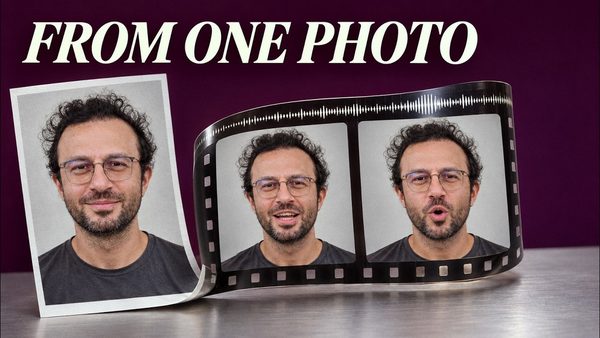
LongCat Avatar Tutorial: Turn Your Photo and Voice Into a Talking Video
LongCat Avatar 1.6 turns one photo and one audio file into a lip-synced talking video on your own GPU; our 3-step preset runs 2.9x faster than 8 steps.
ComfyUI Auto Installer: 1-Click Windows, Linux & Cloud With Presets
ComfyUI auto installer that sets up Sage Attention, Triton, xFormers and Flash Attention in one click, with ready presets for image, video and lip sync models.
SwarmUI Auto Installer & Ultimate Image and Video Model Downloader
SwarmUI auto installer with extensions plus a unified AI models downloader for SwarmUI, ComfyUI, Automatic1111 and Forge, with 105 ready SwarmUI presets.
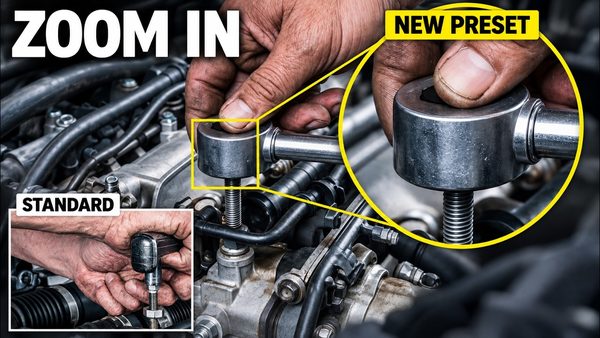
MiniMax H3 Image: New Preset Fixes Tiny-Detail Errors at 16 MP
MiniMax H3 Image gets a new text-to-image preset that draws small objects such as watch gears, gem settings and tools more correctly at 16 MP in 6 steps.
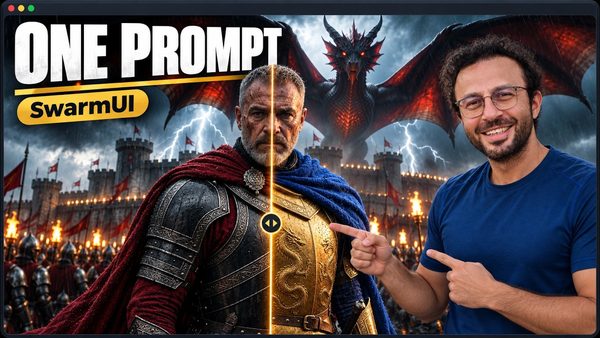
SwarmUI Full Tutorial: 1-Click Install, 4 MP Images, HD Video & Lip Sync
SwarmUI full tutorial from a fresh Windows install: our installers, model downloader with 517+ models and 86 presets turn your PC into a complete AI studio.
Chapters
- 0:00 One prompt: H3 video with speech, effects and music
- 1:04 What our installers, downloader and presets add
- 2:23 Quick first image at 4 MP with Krea 2 Turbo
- 3:36 Download both zips from our posts
- 6:16 Create the folders and extract both packages
- 7:45 Install our ComfyUI backend: Torch 2.13, CUDA 13
- 9:10 Install SwarmUI with one double-click, first-run setup
- 11:32 Connect the ComfyUI backend and its arguments
- 13:22 Import our 86 presets with one bat file
- 14:10 The routine: reset, then Direct Apply a preset
- 15:09 Model downloader: the Krea 2 bundle in one click
- 18:24 More bundles, single models, URL downloads
- 20:38 First 4 MP image, bundle cards and model report
- 23:05 Update in six steps, verified models kept
- 27:58 What one preset click sets, our 11 extensions
- 29:50 Tour of the Generate page
- 32:43 Find the right preset for each job
- 34:35 Text in images: Ideogram 4 vs Qwen Image 2.1
- 36:59 Size, aspect ratio and our Megapixels option
- 38:09 Images, seeds and Variation Seed
- 39:56 Steps 4, 8, 16 compared; CFG, sampler, Sigma Shift
- 41:47 SDXL: negative prompt and CFG 3, 7, 12 compared
- 44:08 Z Image seed variety trick, Reuse Parameters
- 46:10 Prompt weights, alternate and from-to syntax
- 48:34 Regional prompt: a white wolf in one area
- 49:18 Random picks, wildcards and variables
- 52:21 Auto segment faces, more tags, LLM prompt kits
- 54:36 LoRAs: Skin Fix at weight 0.6 vs 1.0
- 57:06 FLUX Kontext edit and fixing model metadata
- 59:41 Refine and upscale a draft to 4 MP
- 62:32 Init Image creativity 0.3, 0.55 and 0.8
- 64:41 Inpaint a dragon: Image Editor and SAM 2 masks
- 67:35 Remove a watermark, every other pixel kept
- 70:12 Outpainting in small steps with FLUX Fill
- 73:53 Qwen Image 2.1: gold armor from one prompt
- 76:23 Combine images; FLUX 3 Klein vs Qwen edit
- 78:46 Layout boxes place every object exactly
- 81:46 ControlNet Canny and Redux style transfer
- 86:12 Attach media, trim clips, prompt batches
- 89:03 H3 references, @ tokens and the token meter
- 90:48 Write an H3 prompt with our kit and Gemini
- 91:52 Text to video with sound: MiniMax H3 at 1080p
- 93:35 8-step turbo LoRA vs 20 steps, RIFE smoothing
- 96:14 Image to video: the portrait moves and speaks
- 97:42 First and last frame: black armor to gold
- 99:02 Video to video with LTX 2.3: anime style
- 100:15 Genjutsu: swap the person, keep every move
- 103:12 Longer videos: continue a clip, SVI 2 Pro
- 106:21 Long Lip Sync: a portrait speaks in full HD
- 109:39 References to video: face, dragon and voice
- 111:15 Save a character and voice as a RefMod
- 113:44 Sound only with H3, Foley for a silent clip
- 117:19 Grid Generator: samplers by steps
- 119:51 Compare results, History and the video editor
- 122:18 The ComfyUI workflow behind a preset
- 124:16 Speed overrides and a second GPU backend
- 126:04 Server, user settings, Utilities and the API
- 129:20 Recap and where to download everything
About this video
SwarmUI, set up with our one-click installers, our model downloader (35+ bundles, 517+ models) and 86+ ready presets, turns your own PC into a complete AI studio: 4-megapixel images, one-prompt edits, full HD MiniMax H3 videos with speech, sound effects and music, lip sync and Genjutsu person swaps. This tutorial installs everything from zero on Windows and teaches every feature step by step; the same installers run on RunPod, SimplePod, Massed Compute and Linux.
Links:
Download the SwarmUI installer, model downloader and presets (our SwarmUI post): [ https://www.patreon.com/posts/swarmui-auto-and-114517862 ]
ComfyUI backend installer (our ComfyUI post): [ https://www.patreon.com/posts/105023709 ]
One-time Windows requirements installer tutorial: [ https://youtu.be/ptuLL0C72Ms ]
SwarmUI + ComfyUI on cloud GPUs (RunPod, Massed Compute): [ https://youtu.be/bBxgtVD3ek4 ]
SimplePod tutorial: [ https://youtu.be/yOj9PYq3XYM ]
SECourses Discord: [ https://discord.com/invite/software-engineering-courses-secourses-772774097734074388 ]
You will learn the full route on a fresh Windows PC: download and extract both packages, install our ComfyUI backend and SwarmUI, connect them, import our presets, download models in one-click bundles and update everything, then every image, edit, video, lip-sync, audio and tool feature listed in the chapters below.
Main topics include MiniMax H3 and FastH3, Krea 2 Turbo, Qwen Image 2.1, FLUX 3 Klein, FLUX Fill and Kontext, Ideogram 4, Z Image, SDXL, LTX 2.3, SVI 2 Pro, Genjutsu, Long Lip Sync, RefMods and our LLM prompt kits. Every result was made on the fresh install with an RTX 5090.
Use the chapters to jump to any install step, feature, setting or comparison.
Chapters:
0:00 One prompt: H3 video with speech, effects and music
1:04 What our installers, downloader and presets add
2:23 Quick first image at 4 MP with Krea 2 Turbo
3:36 Download both zips from our posts
6:16 Create the folders and extract both packages
7:45 Install our ComfyUI backend: Torch 2.13, CUDA 13
9:10 Install SwarmUI with one double-click, first-run setup
11:32 Connect the ComfyUI backend and its arguments
13:22 Import our 86 presets with one bat file
14:10 The routine: reset, then Direct Apply a preset
15:09 Model downloader: the Krea 2 bundle in one click
18:24 More bundles, single models, URL downloads
20:38 First 4 MP image, bundle cards and model report
23:05 Update in six steps, verified models kept
27:58 What one preset click sets, our 11 extensions
29:50 Tour of the Generate page
32:43 Find the right preset for each job
34:35 Text in images: Ideogram 4 vs Qwen Image 2.1
36:59 Size, aspect ratio and our Megapixels option
38:09 Images, seeds and Variation Seed
39:56 Steps 4, 8, 16 compared; CFG, sampler, Sigma Shift
41:47 SDXL: negative prompt and CFG 3, 7, 12 compared
44:08 Z Image seed variety trick, Reuse Parameters
46:10 Prompt weights, alternate and from-to syntax
48:34 Regional prompt: a white wolf in one area
49:18 Random picks, wildcards and variables
52:21 Auto segment faces, more tags, LLM prompt kits
54:36 LoRAs: Skin Fix at weight 0.6 vs 1.0